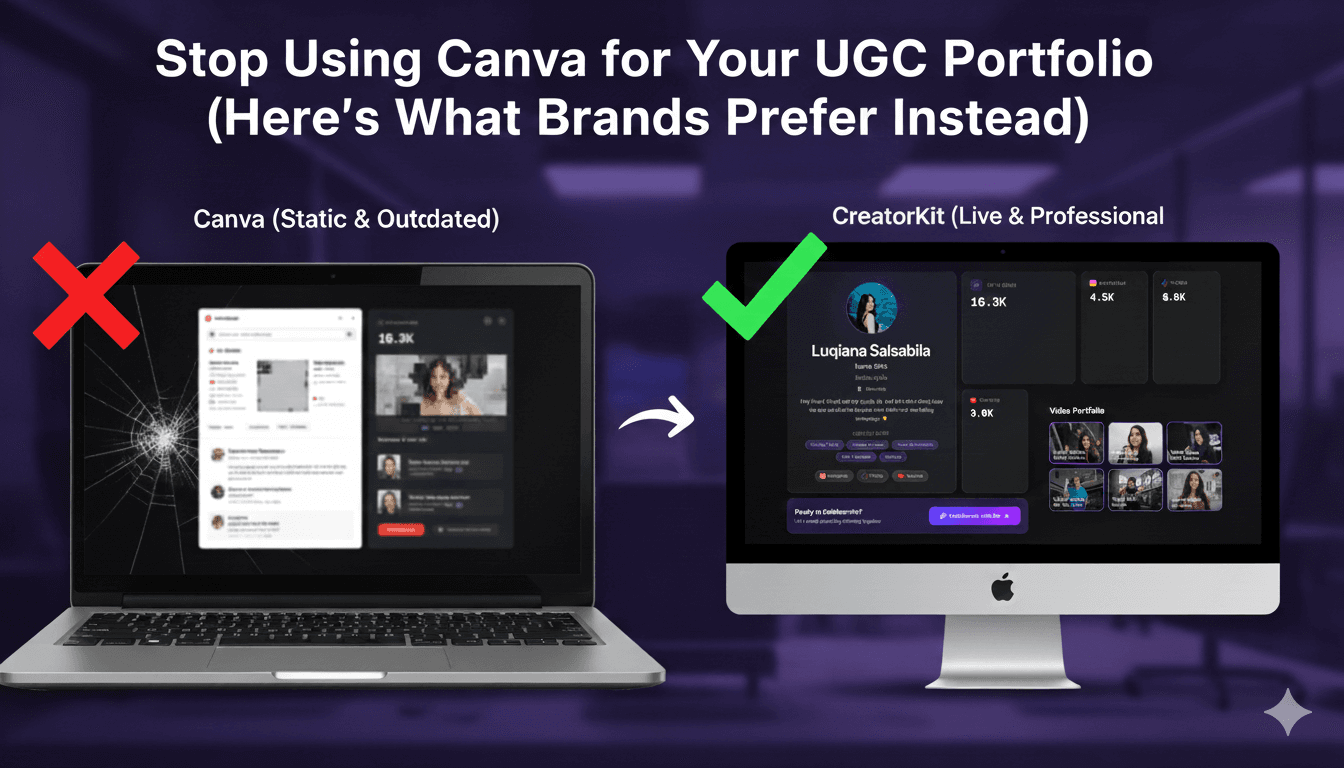
Stop Using Canva for Your UGC Portfolio (Here's What Brands Prefer Instead)
Canva is great for design, but static PDFs are killing your brand deals. Discover why brands prefer live data portfolios with real-time analytics, interactive videos, and instant updates over outdated Canva PDFs in 2026.
Need a UGC portfolio in 1 minute?
Build a polished creator portfolio brands actually want to see — no design skills needed.
Table of Contents
Stop Using Canva for Your UGC Portfolio (Here's What Brands Prefer Instead)
Canva is fantastic for creating beautiful graphics, social media posts, and marketing materials. There's no denying its power as a design tool. But here's the brutal truth: Using Canva for your UGC portfolio is a fatal mistake that's costing you brand deals.
Why? Because Canva creates static PDFs, and in 2026, brands don't want static portfolios—they want live, data-driven proof of your value.
Introduction: The Canva Problem for UGC Creators
Canva excels at what it does: making design accessible to everyone. You can create stunning PDFs, graphics, and even presentations. For many use cases, it's the perfect tool.
But when it comes to your UGC portfolio, Canva has one fatal flaw: it creates static documents. Once you export your portfolio as a PDF and send it to a brand, that document is frozen in time. Your follower count? Outdated. Your engagement metrics? From last month. Your latest brand collaboration? Not included.
The Reality: Brands in 2026 want real-time proof, not weeks-old screenshots. They need to see your current follower count, your live engagement rate, and your most recent content—all accessible with a single link, not buried in a PDF attachment.
The Solution: A live, interactive UGC portfolio that updates automatically and showcases your work with inline video players, live analytics, and instant brand inquiry forms. This is what brands prefer, and this is what gets you hired.
Ready to upgrade? Build your live portfolio on CreatorsKit and see why brands choose creators with dynamic portfolios over static PDFs.
The Problem with Static PDF Portfolios
Here's what happens when you send a Canva PDF to a brand:
1. Outdated Follower Counts
You create your portfolio on Monday with 150,000 followers. You export it as a PDF on Tuesday. By Thursday, when the brand finally opens it, you've gained 3,000 new followers. Your portfolio says 150K, but your actual reach is 153K.
The Brand's Perspective: "Is this creator's engagement real, or are they inflating numbers? Why isn't this updated?"
The Creator's Reality: You have to constantly create new PDFs every time your follower count changes. It's a never-ending cycle of updates and re-exports.
2. Broken Links and Dead Ends
Your Canva PDF has clickable links to your Instagram, TikTok, YouTube—but when brands click them, they're taken away from your portfolio. The PDF opens in their PDF reader, links open in their browser, and your carefully crafted portfolio experience falls apart.
The Brand's Experience: Multiple windows, broken flow, confusion about where they are and what to do next.
The Creator's Loss: Brands get distracted and move on to the next creator's portfolio—one that doesn't require jumping between apps and windows.
3. Manual Work of Updating Stats
Every time you need to update your portfolio—new follower count, new engagement rate, new brand collaboration—you have to: 1. Open Canva 2. Edit your design 3. Update all the numbers manually 4. Re-export the PDF 5. Send the new version to brands 6. Hope they're using the latest version
The Time Cost: Hours of manual work every month, time you could spend creating content.
The Brand's Frustration: Receiving multiple versions of your portfolio, not knowing which one is current, questioning your organization skills.
4. No Video Playback Experience
Canva PDFs can't play videos inline. You have to:
- Link to YouTube playlists (takes brands away from your portfolio)
- Link to Google Drive folders (looks unprofessional)
- Use QR codes (extra friction for brands)
- Embed thumbnail images that lead nowhere
The Brand's Challenge: They want to see your content quickly, but PDFs force them to leave your portfolio to watch videos.
The Creator's Missed Opportunity: Your best UGC content should be front and center, playing immediately when brands visit—not hidden behind links and downloads.
5. No Analytics or Engagement Tracking
With a Canva PDF, you have zero visibility into:
- How many brands viewed your portfolio
- Which sections they spent time on
- Whether they clicked your contact information
- How long they engaged with your content
The Brand's Action: They might love your portfolio, but you'll never know because there's no tracking.
The Creator's Blind Spot: You're flying blind, with no data to improve your portfolio or follow up with interested brands.
The Bottom Line: Static PDFs from Canva are a relic of 2020. In 2026, they signal that you're not keeping up with professional standards—and brands notice.
What Brands Actually Look For
Brand managers are busy. They evaluate dozens of creator portfolios every week, and they've developed clear preferences for what makes a portfolio stand out.
Real-Time Data, Not Screenshots
Brands want to see live analytics, not screenshots from last month. When they see your follower count was updated "yesterday" and your engagement rate is calculated from your "last 30 posts," they trust your metrics. When they see a screenshot with no timestamp, they question everything.
Why This Matters: Trust is everything in brand-creator relationships. Live data builds trust instantly. Static screenshots raise red flags.
The CreatorsKit Solution: Automatic social media integration that syncs your follower counts, engagement rates, and audience demographics in real-time. Brands see current data, and you never have to update it manually.
Interactive Video Showcases
Brands want to watch your content immediately, not click through multiple links to find it. They want inline video players that start playing when they visit your portfolio, organized grids of your best work, and a seamless viewing experience.
Why This Matters: The easier it is for brands to see your content, the more likely they are to work with you. Every click is friction. Every new window is a distraction.
The CreatorsKit Solution: Built-in video portfolio with inline players that work on desktop and mobile. Brands watch your content without leaving your portfolio, and you can showcase 10-15 videos in a beautiful, organized grid.
Verified Engagement Metrics
Brands need to verify that your engagement is authentic and your followers are real. They want to see:
- Engagement rates calculated from actual performance data
- Verified follower counts pulled directly from social platforms
- Audience demographics that match their target market
- Growth trends that show momentum
Why This Matters: Brands are increasingly skeptical of self-reported metrics. Verified data from live integrations eliminates doubt and builds immediate credibility.
The CreatorsKit Solution: Real-time API integrations with Instagram, TikTok, and YouTube that pull verified metrics directly from the platforms. No manual input, no question marks, just authentic data brands can trust.
Professional Presentation That Reflects Your Brand Quality
Your portfolio is often the first impression brands get of you. If it looks professional, they assume your content is professional. If it looks amateur, they assume your work is amateur.
Why This Matters: Brands work with creators who present themselves professionally. A polished portfolio signals that you're organized, serious, and easy to work with—exactly what they're looking for.
The CreatorsKit Solution: Professional templates designed specifically for UGC creators, with mobile-responsive design, fast loading times, and conversion-optimized layouts that make you look like a pro.
Easy Contact and Inquiry Process
Brands want to reach out easily when they're interested. They don't want to:
- Search for your email in a PDF
- Copy and paste contact information
- Navigate multiple pages to find how to collaborate
- Deal with broken contact forms or dead email addresses
Why This Matters: Every barrier between interest and contact is a lost opportunity. The easier you make it for brands to reach you, the more partnerships you'll land.
The CreatorsKit Solution: Built-in contact forms, direct inquiry buttons, and clear CTAs throughout your portfolio that make it impossible for brands to miss how to work with you.
The Verdict: Brands want live, interactive portfolios with real-time data, inline video playback, and professional presentation—exactly what CreatorsKit delivers, and exactly what Canva PDFs can't provide.
CreatorsKit vs. Canva: A Side-by-Side Comparison
Let's break down the key differences between using Canva for your portfolio versus using CreatorsKit:
| Feature | Canva PDF | CreatorsKit Live Portfolio | |---------|-----------|---------------------------| | Update Speed | Manual edits, re-export, re-send (Hours) | Automatic sync, instant updates (Real-time) | | Video Playback Experience | Links to external platforms (Broken flow) | Inline video players (Seamless viewing) | | Analytics Accuracy | Screenshots from last month (Outdated) | Live data from API integration (Current) | | Lead Generation | No tracking, no forms (Missed opportunities) | Contact forms with analytics (Captured leads) | | Mobile Experience | PDF reader required, clunky navigation (Poor) | Responsive design, thumb-friendly (Optimized) | | Professional Appearance | Generic templates, static design (Amateur) | Creator-specific templates, dynamic (Professional) | | SEO & Discoverability | Not searchable, requires sharing (Hidden) | SEO-optimized, brands can find you (Discoverable) | | Brand Trust | Questionable data freshness (Skeptical) | Verified real-time metrics (Trusting) | | Time Investment | Hours per update (High maintenance) | One-time setup, auto-updates (Low maintenance) | | Cost | $12-15/month for Pro (Expensive for PDFs) | Free to start, Pro features available (Value) |
Update Speed: Hours vs. Real-Time
Canva: You manually update your follower count, engagement rate, and new content. Then you export a new PDF and send it to brands. This process takes hours every month.
CreatorsKit: Your portfolio updates automatically when your social media metrics change. Brands always see current data without you lifting a finger.
Winner: CreatorsKit (Real-time updates vs. manual maintenance)
Video Playback Experience: Broken Flow vs. Seamless Viewing
Canva: You link to YouTube playlists or Google Drive folders. Brands click, leave your PDF, watch videos in another app, and often forget to come back.
CreatorsKit: Videos play inline on your portfolio. Brands watch your content without leaving the page, maintaining engagement and focus.
Winner: CreatorsKit (Seamless inline playback vs. external links)
Analytics Accuracy: Outdated Screenshots vs. Current Data
Canva: Your follower count and engagement metrics are screenshots from when you created the PDF. They're outdated the moment you export.
CreatorsKit: Analytics pull directly from Instagram, TikTok, and YouTube APIs. Brands see data from yesterday, not last month.
Winner: CreatorsKit (Real-time verified data vs. stale screenshots)
Lead Generation: Missed Opportunities vs. Captured Leads
Canva: No contact forms, no analytics, no way to track which brands viewed your portfolio. You're flying blind.
CreatorsKit: Built-in contact forms, portfolio view analytics, and lead tracking. You know exactly which brands are interested and can follow up accordingly.
Winner: CreatorsKit (Lead capture and tracking vs. zero visibility)
The Clear Winner: CreatorsKit wins in every category that matters for landing brand deals. Canva is a design tool, not a portfolio platform. Use the right tool for the job.
How to Transition to a Professional Landing Page Portfolio
Making the switch from Canva PDFs to a live portfolio is easier than you think. Here's how to do it in three simple steps:
Step 1: Sign Up and Choose Your Template (2 minutes)
Create your free CreatorsKit account and choose from three professional templates:
- Default Template: Clean, professional, conversion-focused
- Midnight Bento Template: Dark, elegant, story-driven
- Neon Gradient Template: Bold, vibrant, unforgettable
All templates are pre-optimized for mobile, fast loading, and conversion—no design skills required.
Why This Works: Templates eliminate design decisions. You pick the aesthetic that matches your brand, and you're done.
Step 2: Sync Your Social Media Data (3 minutes)
Connect your TikTok, Instagram, and YouTube accounts to automatically sync:
- Follower counts (updates automatically)
- Engagement rates (calculated from real data)
- Audience demographics (age, location, interests)
- Growth trends (visual charts showing momentum)
How It Works: CreatorsKit uses official social media APIs to pull your data securely. You authenticate once, and your portfolio stays current forever.
Why This Matters: Brands see verified, real-time metrics. You never have to manually update numbers again.
Step 3: Add Your Content and Publish (5 minutes)
Add your best UGC videos, brand logos, testimonials, and contact information. CreatorsKit's interface is drag-and-drop simple—if you can use Instagram, you can build a portfolio.
Then hit publish and get your unique portfolio URL (e.g., creatorskit.app/yourname). Share this link with brands instead of sending PDFs.
Total Time: Under 10 minutes from signup to live portfolio.
The Old Way (Canva): Hours of design work, manual updates, constant re-exports, PDF attachments.
The New Way (CreatorsKit): 10 minutes to launch, automatic updates, shareable link, professional presentation.
Ready to make the switch? Start building your live portfolio on CreatorsKit now and have it live in under 10 minutes.
Why Professional Creators Use Professional Tools
Here's what successful UGC creators understand that others don't: Your tools reflect your professionalism.
The Creator Hierarchy
Amateur Creators:
- Send Google Drive links
- Use Instagram highlights as portfolios
- Create static PDFs in Canva
- Manually update metrics every month
Professional Creators:
- Use live portfolio websites
- Showcase content with inline video players
- Display real-time verified analytics
- Make it easy for brands to contact them
The Brand's Perspective: When they see a live portfolio with current data, they know they're working with someone who takes their creator business seriously. When they see a Canva PDF from last month, they wonder if you're organized enough to handle a brand collaboration.
The ROI of Professional Tools
Time Saved:
- No more manually updating follower counts
- No more creating new PDFs for each brand
- No more hunting for video links
- Hours saved every month
Opportunities Gained:
- Brands discover you through SEO-optimized portfolios
- Professional presentation increases conversion rates
- Live data builds trust faster
- Contact forms capture leads you'd otherwise miss
Rates Justified:
- Professional presentation supports premium pricing
- Verified analytics prove your value
- Portfolio quality reflects content quality
Real Results: Creators using live portfolio platforms report 3-5x more brand inquiries compared to those using static PDFs. The investment in the right tool pays for itself with a single brand deal.
The Canva Misconception
Many creators think: "Canva is free (or cheap), so why pay for a portfolio platform?"
The Reality: Canva Pro costs $12-15/month, and you're still creating static PDFs that cost you opportunities. CreatorsKit is free to start, with Pro features available for advanced creators who want even more capabilities.
But More Importantly: The real cost isn't the monthly fee—it's the brand deals you're losing because your portfolio doesn't meet 2026 standards.
The Math:
- One brand deal: $500-$5,000 (or more)
- Canva Pro: $15/month
- Lost opportunity from outdated portfolio: Priceless
Use the tool that gets you hired, not the one that's marginally cheaper.
Related Resources
Want to see what a professional portfolio looks like? Check out our guide on 10 Best UGC Portfolio Examples to see real portfolios that convert brands into partnerships. Or learn how to create a professional TikTok Media Kit specifically optimized for TikTok creators looking to land brand deals.
Conclusion: The Future is Live, Not Static
The era of static PDF portfolios is over. Brands in 2026 expect real-time proof, interactive content showcases, and professional presentation—all delivered through a single shareable link.
Canva is a fantastic design tool—use it for graphics, social posts, and marketing materials. But for your UGC portfolio, use a platform built specifically for creators: CreatorsKit.
The Choice:
- Static PDFs (Canva): Outdated data, broken links, manual updates, missed opportunities
- Live Portfolios (CreatorsKit): Real-time metrics, inline videos, automatic updates, captured leads
The Verdict: Professional creators use professional tools. Your portfolio is often the first impression brands get of you—make it count with a live, interactive showcase that proves your value instantly.
Ready to level up? Build your Live Portfolio on CreatorsKit and join the creators who are landing more brand deals with professional, data-driven portfolios that brands actually prefer.
Stop sending Canva PDFs. Start sending live portfolios.
The brands are waiting.